
Few school tasks have caused as much confusion as the APAAR ID for school students. Headlines have called it compulsory, parents have asked whether refusing it affects admission, and office staff have watched the portal reject a child because one letter of a surname didn't match Aadhaar.
This guide clears that up from the school's side. It explains what APAAR is, whether it is required, how consent works, how to plan generation for a whole class at a time, how to fix the errors that stop it, and what CBSE now asks for in 2026-27.
Sources: Everything here is taken from the Ministry of Education's APAAR portal and its FAQs, the official consent form and process flow, the UDISE+ school-user manual and CBSE circulars. Rules have changed several times since 2024, so check the portal for the latest version before you act.
What Is an APAAR ID for School Students?
APAAR stands for Automated Permanent Academic Account Registry. It is a 12-digit ID under the "One Nation, One Student ID" programme linked to NEP 2020, meant to hold a student's academic record for life.
- It connects to the Academic Bank of Credits (ABC) and DigiLocker, so marksheets and credits can follow the student.
- Once generated, the ID appears in the student's DigiLocker under issued documents, and the card can be downloaded there.
- For school students, it is generated inside UDISE+, and the child must already have a PEN (Permanent Education Number) on the UDISE+ student module.
For a school, that last point is the key: APAAR is only as good as your UDISE+ record. Our UDISE+ student module guide covers that part step by step.
Is APAAR Mandatory for School Students?
No. The Ministry's own information sheet says APAAR is not mandatory and that there is no legal requirement to use it. Its misconceptions sheet adds that it is not needed to get any government scheme.
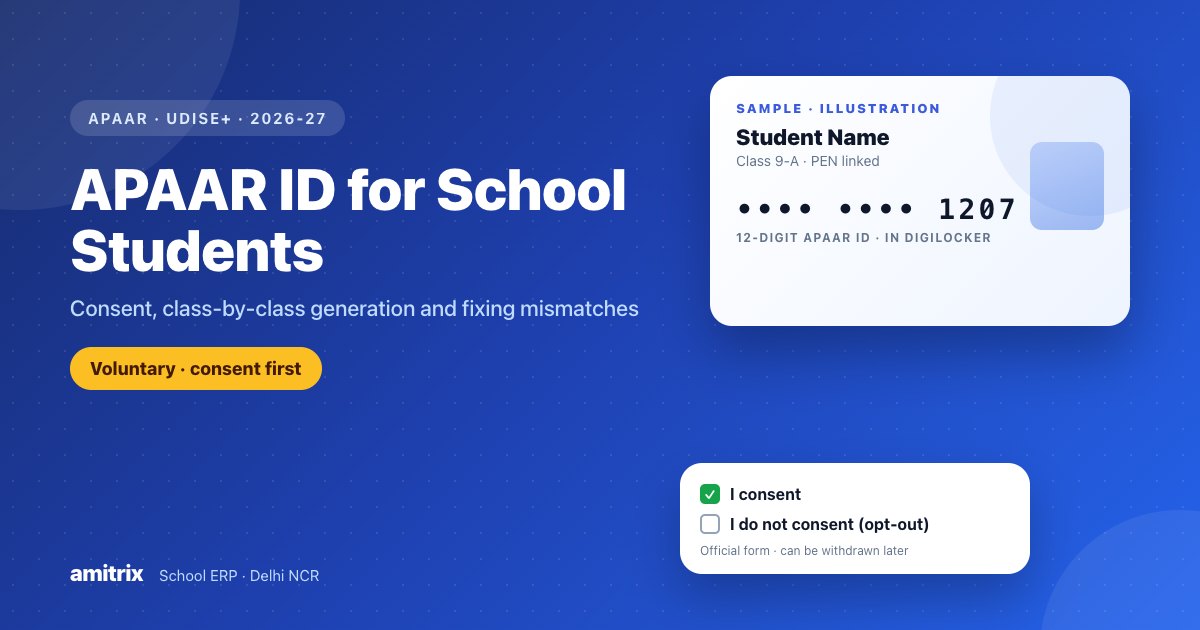
The current official form makes the choice explicit. It is a consent / refusal form: parents can tick "I consent" or "I do not consent", and the opt-out section states that refusing an APAAR ID will not affect the child's admission, promotion or access to government benefits. Parents can also withdraw or change their consent later.
For CBSE schools, the 2026-27 List of Candidates circular for Classes X and XII lists the APAAR ID as optional and says plainly that filling it is optional. If an ID isn't available or a family declines, the school selects the appropriate option. (In 2025-26, CBSE asked for APAAR IDs at Class IX and XI registration but allowed "REFUSED" and "NOGEN" entries in practice.)
What this means for your school: offer APAAR, explain it, record each family's choice carefully, and never make admission, promotion or a certificate depend on it.
What You Need Before Generating
The APAAR FAQ lists the details required to create an ID:
| Required detail | Where it comes from |
|---|---|
| PEN | The student's UDISE+ record |
| Student name, date of birth, gender | UDISE+ General Profile - must match Aadhaar |
| Mother's and father's names | UDISE+ General Profile |
| Mobile number | UDISE+ General Profile |
| Name as per Aadhaar and Aadhaar number | UDISE+ General Profile |
| Parent's consent | The signed physical form, recorded in UDISE+ |
The single most important rule: the student's details in UDISE+ must match Aadhaar. A difference in spelling, date of birth or gender is the most common reason generation fails.
The Official Consent Form
The Ministry publishes an official parental consent / refusal form, available on the portal's resources page. Use that version rather than a home-made copy, because it carries the current wording and the opt-out. It asks for:
- the student's name, class, section and school
- the parent or guardian's name and an ID proof (such as Aadhaar, PAN, voter ID or driving licence) with its number
- a choice: consent (to share the child's Aadhaar or other government ID with the Ministry only to create the APAAR ID and a DigiLocker account) or opt-out
- an optional tick for using academic data with scholarship portals and talent or recruitment agencies
- date, place and the parent's signature
At the bottom, a school-use box records whether consent was given or refused. A refused form is marked "Denied" and not processed. The physical form stays with the school, and the consent is also recorded on UDISE+.
Generating IDs for a Whole Class: A School Plan
There is no single "generate all" button in the official process: the UDISE+ APAAR module lists a class or section and the school generates each consenting student's ID from that list. What makes it fast is planning class by class. The Ministry's own process flow suggests a parent-teacher meeting as the starting point, and prioritising Classes IX to XII.
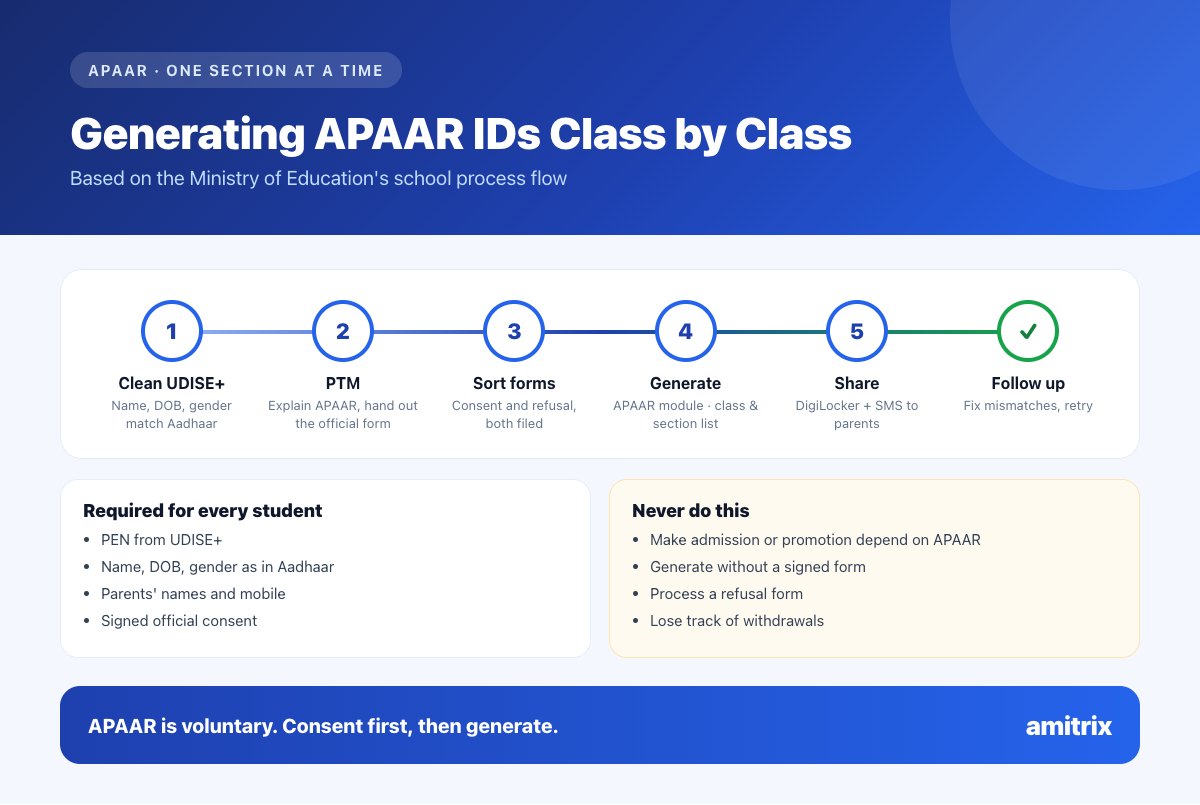
1. Clean the UDISE+ records first. A week before, compare each child's name, date of birth and gender in UDISE+ with their Aadhaar. Fix school-side differences now; send Aadhaar-side differences to the family.
2. Hold a PTM for one class or section. Explain APAAR, hand out the official form, and let parents decide. Parents need to be present to submit the form, and the school verifies the parent's and student's identity.
3. Sort the forms into two piles. Consent and refusal. Store both safely - the refusals matter as much as the consents.
4. Generate in UDISE+. The UDISE+ coordinator or class teacher opens the APAAR Module, selects the class and section, and clicks Generate for each consenting student. The screen asks for the parent's ID proof type and number, the place and date of the physical consent, and the name of the head of school or authorised staff member making the declaration.
5. Share the result. On success the ID goes to the student's DigiLocker and parents receive an SMS. Many schools also print the APAAR ID on the school ID card.
6. Follow up the failures. Check each student's status in the APAAR module, correct what you can, and give families a note listing exactly what to fix with Aadhaar.
Working one section at a time keeps each batch small enough to check properly, and it produces far fewer errors than trying to do the whole school at once.
See how one accurate student record - names, dates of birth and parents' details checked at admission - saves hours when portals like UDISE+ and APAAR ask for them.
Book a free demo →A free consent tracker
Copy this into a spreadsheet, one sheet per section. It keeps the school's side of the process in one place.
| Roll no. | Student name (as in Aadhaar) | PEN | Details match Aadhaar? | Form received | Choice | Date generated | Status / issue |
|---|---|---|---|---|---|---|---|
| 1 | Yes / No - what differs | Date | Consent / Refused | Generated / Mismatch / Pending | |||
| 2 |
Keep the signed forms filed in the same roll-number order, so any parent's request to withdraw can be found in a minute.
Fixing "Demographic Data Mismatch" and Other Errors
| Problem | Where the fix is | What to do |
|---|---|---|
| Name, date of birth or gender differs from Aadhaar | School record | Correct the UDISE+ record and retry (see the UDISE+ guide on locked fields) |
| The Aadhaar itself is wrong or outdated | Aadhaar | The family updates Aadhaar at a Common Service Centre or Aadhaar centre |
| Student has no PEN | UDISE+ | Add or import the student in UDISE+ first |
| No consent recorded | School | Collect the official form before generating |
| Student changed school | New school | The new school's UDISE+ coordinator updates the record; the student re-downloads the card from DigiLocker |
For problems the school can't solve, the official help desk is toll-free 1800-889-3511, with tickets through the ABC support site linked from the APAAR portal.
Students without Aadhaar
The Ministry's information sheet says an APAAR ID cannot be created for a learner without a valid Aadhaar, and points families to Aadhaar enrolment centres, banks and post offices. The current consent form mentions an alternative government ID, but no separate procedure is published yet, so check with your block or district MIS coordinator. Either way, a child without Aadhaar or APAAR must never be refused admission or promotion.
Keeping APAAR Data Safe
APAAR involves Aadhaar numbers and parents' ID proofs, which makes the paperwork sensitive. The Ministry says APAAR data is encrypted, access is role-based and logged, and aggregate data shared for monitoring is anonymised.
Your school's side matters too: store signed forms securely, limit who can see Aadhaar numbers, and record consent and withdrawals properly. These habits line up with what the DPDP Act for schools expects for children's data.
How School Software Helps
APAAR IDs are generated only on the government portal. Good school software makes that work quicker and safer by keeping:
- one accurate record per child, with names and dates of birth checked at admission
- parents' names and mobile numbers linked to every sibling
- scanned documents attached to the student record
- class lists that export to Excel for checking against UDISE+
- role-based access, encrypted sensitive fields and activity logs
Amitrix EMS does all of this for one flat ₹12,000 a year, with unlimited students. Delhi schools can see how it supports the rest of the year on our School ERP in Delhi page.
We'll show you a class list ready to check against UDISE+ and APAAR.
Book a free Amitrix demo →Frequently Asked Questions
Is the APAAR ID compulsory for school admission?
No. The Ministry of Education states that APAAR is not mandatory, and the official consent form says refusing it will not affect a child's admission, promotion or access to government benefits.
How does a school create APAAR IDs for its students?
The school collects signed consent on the official form, makes sure each student's UDISE+ details match Aadhaar, then opens the APAAR module in UDISE+, selects the class and section and generates the ID for each consenting student.
Can APAAR IDs be generated in bulk?
The official process lists students by class or section and generates each consenting student's ID from that list. Schools speed it up by cleaning UDISE+ data beforehand and working one section at a time.
Why does APAAR show a demographic data mismatch?
The student's name, date of birth or gender in UDISE+ differs from Aadhaar. Correct the school record, or ask the family to update Aadhaar if that is where the error is, then try again.
Can parents withdraw APAAR consent?
Yes. The official form says parents can withdraw or modify consent later by asking the school or contacting the data protection contact named on the form.
Is the APAAR ID required for CBSE board registration in 2026-27?
CBSE's List of Candidates circular for 2026-27 marks the APAAR ID as optional. Schools enter it where available with consent, or choose the option for not available or not provided.
Conclusion
The APAAR ID for school students is voluntary, consent-based and built on top of UDISE+. A school that gets the order right - clean UDISE+ data, the official consent form at a PTM, generation section by section, careful records of refusals and withdrawals - can complete it without stress and without putting any child's admission at risk.
Want student records that make UDISE+ and APAAR straightforward? Book your free demo today.