
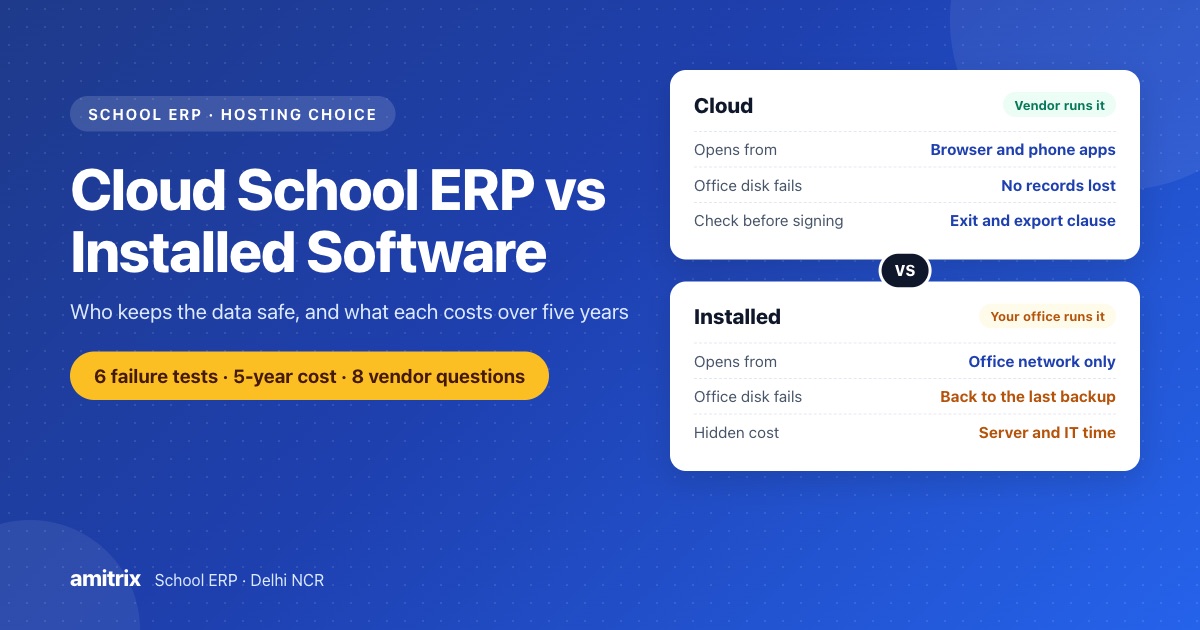
Installed school software feels like the safe choice because the server sits in your own office, and that feeling is the mistake. A computer on campus fails in its own ways, through a dead hard disk, a shared admin password or a backup nobody ever tested, and for most Indian schools a cloud school ERP is the safer option and usually the cheaper one. That holds when the vendor encrypts sensitive fields, keeps each school's data apart, stores it in India and can hand everything back to you; installed software still suits a campus with no dependable internet and a full-time IT person.
A trustee signing off the software budget may ask who answers if the children's Aadhaar numbers leak from a vendor's machine. In law, it's still the school, so the real choice is about who does the daily work of keeping the system running and the data safe.
What Is the Difference Between Cloud and Installed School ERP?
A cloud school ERP (Enterprise Resource Planning) is school management software that the vendor hosts in a data centre and your staff reach over the internet. Installed (on-premise) software is copied onto a computer or server on your own campus. With the cloud, the vendor runs the machines, updates and backups; with installed software, your school does.
You may also see the cloud version called web-based or online school software, and the installed version called desktop or offline software. If ERP itself is a new term, the plain-English ERP explainer also lists the cloud, on-premise and hybrid types used in business.
Cloud vs Installed: Side-by-Side Comparison
| Point | Cloud | Installed |
|---|---|---|
| Where data lives | Vendor's data centre | A computer in your office |
| Who keeps it running | The vendor | Your staff or a local technician |
| Upfront cost | Little or none | A server, power backup, licence |
| Updates | Arrive for everyone at once | Installed by hand, often skipped |
| Teachers at home, parents on phones | Usually included | Needs extra set-up, often missing |
| Without internet | Stops until it returns | Works inside the office network |
| Backups | The vendor's job (confirm how often) | Your job, every single day |
Installed software wins only on the no-internet row. It loses on the row above it, because a parent app, a teacher marking attendance on a phone and a principal checking collections from home all need a system reachable from outside the building.
Is a Cloud School ERP Safe?
A cloud school ERP can be safer than a computer in the school office, but only if the vendor can show its safeguards. Moving to the cloud doesn't remove the risk; it moves it. On campus, the common failures are physical and human, such as a shared admin password, an unpatched Windows machine or a backup drive that was never tested. In the cloud, the risk sits in the vendor's practices, so those are what you check.
The law shapes the choice too. Under Section 8 of the Digital Personal Data Protection (DPDP) Act, 2023, your school is the Data Fiduciary and the software company is a Data Processor. Three parts of that section matter here:
- 8(1): the school stays responsible for processing done on its behalf by the vendor, whatever the contract says.
- 8(2): a vendor may process your data only under a valid contract.
- 8(5): the school must take reasonable security safeguards, including for data a vendor processes for it.
So the cloud moves the daily work, not the responsibility, which is why the contract matters more than any brochure. A software company is also covered by the Indian Computer Emergency Response Team (CERT-In) directions of 28 April 2022, which require it to report specified cyber incidents to CERT-In within 6 hours and keep system logs for 180 days within India. Consent, breach reporting and the 2027 deadlines are covered in full in the DPDP Act checklist for schools.
Questions to Ask a Cloud School ERP Vendor
Ask for written answers to these at every demo.
- Where is our data stored? Ask for the country and the city of the data centre.
- Which fields are encrypted? Aadhaar, bank details and medical notes at the very least.
- How is our school's data kept apart from other schools on the same system?
- How often is data backed up, and when was a restore last tested?
- Who on your team can see our records, and is that access logged?
- What happens if you close or we leave? Ask for the export format and the deadline for deleting our data afterwards, as Section 8(7) of the DPDP Act expects.
- If our records are ever exposed, who rings the principal, and within how many hours?
- Will you sign a contract that covers all of the above, as the DPDP Act requires?
Vague answers on encryption, backups or exit mean you should keep looking. Hosting is one decision among many, and the 15-feature ERP buying guide covers the rest.
Bring the list, and we'll answer all eight on screen, one by one.
Ask your cloud questions live →What Happens When Something Goes Wrong
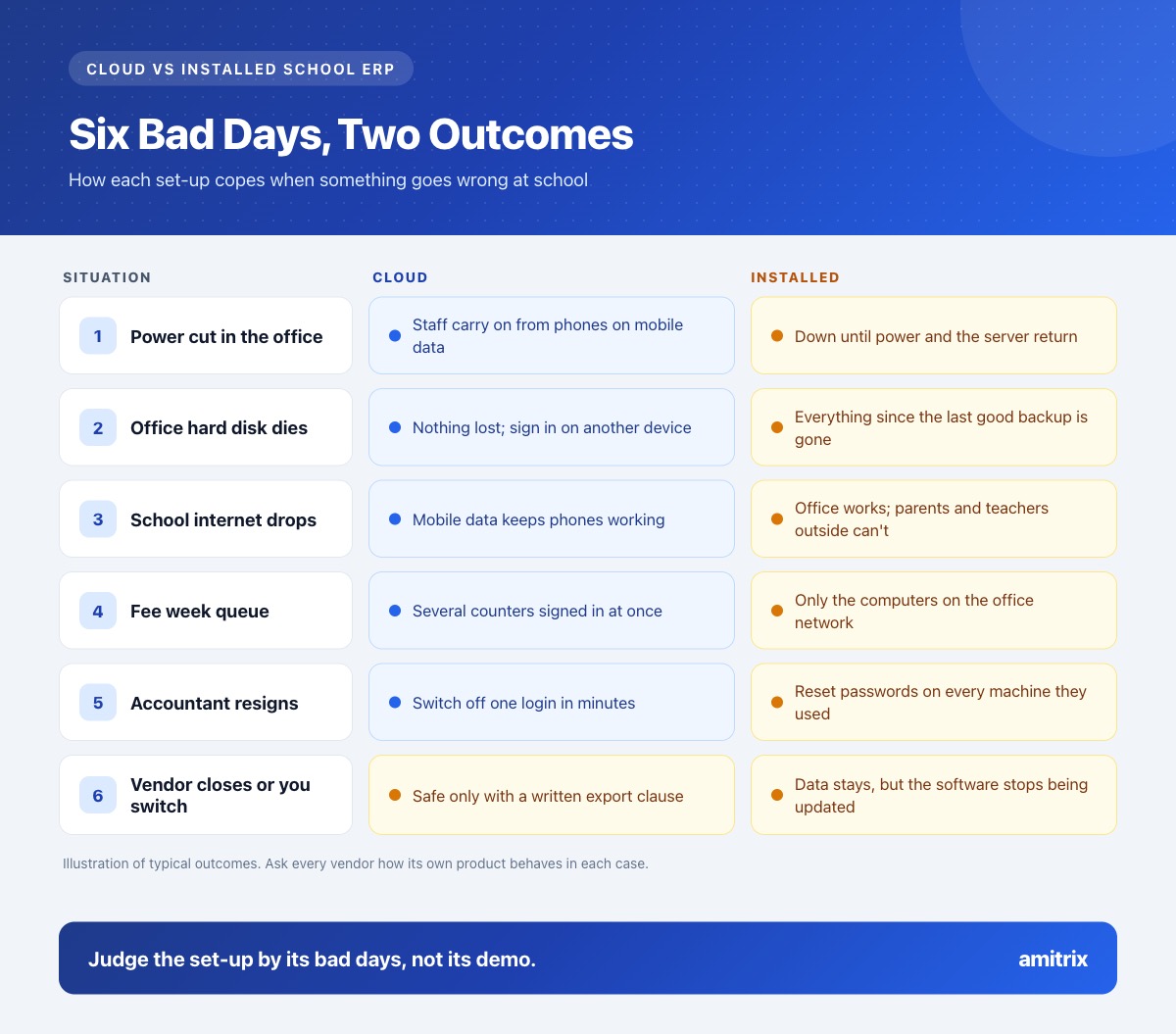
Demos show the good days; the table shows the bad ones.
| Situation | Cloud | Installed |
|---|---|---|
| Power cut in the office | Staff carry on from phones on mobile data | System is down until power and the server return |
| Office hard disk fails | Nothing lost; log in from another device | Data since the last good backup is gone |
| Internet down at school | Phones on mobile data keep working | Office keeps working; parents and teachers outside can't |
| Fee week rush | Several counters log in at once | Limited to computers on the office network |
| Accountant leaves | Disable one login in minutes | Change passwords on every machine they used |
| Vendor closes or you switch | Depends on a written export clause | Data stays with you, but nobody updates the software |
Two of these rows usually decide the matter. A failed disk is how an installed system loses real records, and it never waits for a convenient month. A vendor closing down is the main risk on the cloud side, and the fix sits in the contract, as a written promise of a full export in a file format your next system can read.
Five-Year Cost for an 800-Student School
The cloud bill is visible every year, while the installed bill is spread across hardware, maintenance and staff time, so it's easy to underestimate. The example below follows one school of 800 students from the 2026-27 session to 2030-31. The installed column assumes a ₹40,000 licence with an annual maintenance charge (AMC) of 20% from year two, plus a ₹60,000 server, an ₹8,000 uninterruptible power supply (UPS) and two backup drives at ₹3,000 each. These are illustrations at openly published price levels and typical hardware prices, not any company's quote.
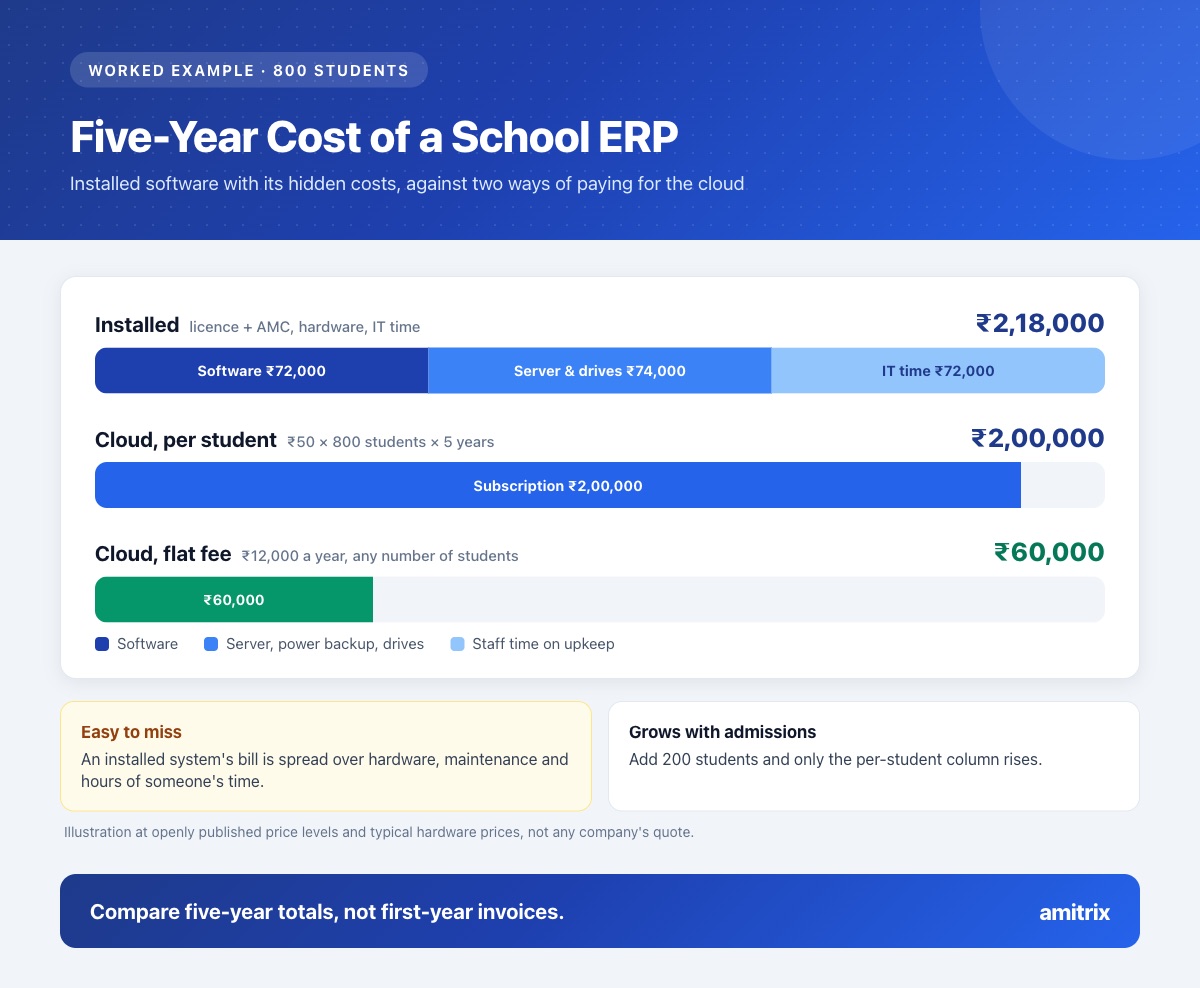
| Option | Breakdown | 5 years |
|---|---|---|
| Installed | Licence ₹40,000 + AMC ₹32,000 + hardware ₹74,000 + IT time ₹72,000 (4 hours a month at ₹300) | ₹2,18,000 |
| Cloud, per student | ₹50 × 800 students × 5 years | ₹2,00,000 |
| Cloud, flat fee | ₹12,000 × 5 years | ₹60,000 |
Installed is not automatically cheaper. Once the server and the hours someone spends on updates and backups are counted, it lands close to a per-student cloud plan. Per-student pricing also rises with admissions, so if you add 200 students in year three, that column goes up and the other two don't. What matters is the sum your trust will have paid by 2030-31, not the opening invoice, and what school ERP quotes leave out is worth reading before you compare.
The flat-fee row is Amitrix's own price, ₹12,000 a year whether a school has 200 students or 2,000; what the fee includes is set out line by line.
Bring your student count and what you pay for software now, and we'll fill in this table with you.
Run your own five-year numbers →When Installed Software Still Makes Sense
Cloud is the better default, not the only answer. Installed software can be the right call when three things are all true. The campus has no dependable internet and mobile data is weak too, so a cloud system would be unreachable for hours at a time. You have an IT person on the payroll who will patch the server, test backups every week and keep a copy off-site. And parents and teachers don't need access from home, or your trust has decided, on legal advice, that records must stay on campus.
If only the first is true, a cloud system with phones on mobile data as the fallback usually works better than a server nobody maintains.
Where Amitrix Stands on These Questions
Amitrix EMS is a cloud school ERP, so nothing is installed at your school. It runs in a web browser, with a mobile app for parents and staff, on Hostinger's servers in Mumbai, so your data stays in India and gets an encrypted backup every day. It needs a connection like any cloud system, except daily attendance marking on a phone, which works offline and saves when the signal returns. Every school works on one shared system, with each school's records kept separate from every other school's.
AES-256 encryption (the Advanced Encryption Standard) covers Aadhaar, PAN and bank details, and a teacher, accountant or parent can open only the screens meant for them; the security section of our features page has the details. Your existing records come in from our spreadsheet template, at no extra charge.
Frequently Asked Questions
Who is responsible if a cloud vendor leaks student data?
The school is, as the Data Fiduciary under Section 8 of the DPDP Act. It is also the school that must inform the Data Protection Board and each affected person of a personal data breach (Section 8(6)), while the vendor answers to the school through the contract and must report specified incidents to CERT-In.
Can we move from installed software to a cloud school ERP mid-session?
Yes, though a term break is easier. Move student records and fees first, then attendance and exams, and ask your current vendor for an export early, since getting data out is usually the slowest step. The month-by-month switching plan marks the weeks to avoid and the three totals to compare before the old system goes.
Get Two Things in Writing Before the Committee Decides
Before the managing committee meets, collect from each vendor written answers to the eight questions and a five-year figure at the student count you expect in 2030-31. Then set them beside what your current set-up costs, including the hours someone spends on backups.
Amitrix's own answers can be checked against your school's records in a demo.