
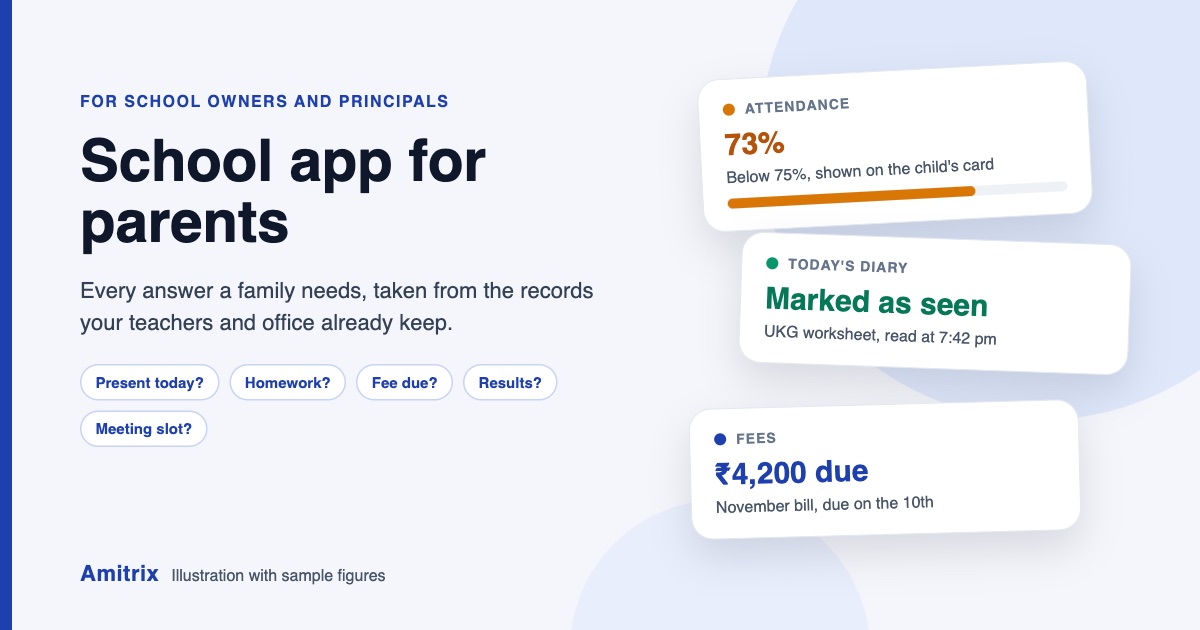
A school app for parents earns its place when a parent can answer their own questions at 9 at night: did my son reach school, what's tomorrow's homework, how much fee is due and by when, how did the half-yearly go, when can I see the class teacher. Each answer has to come straight from the records the office and the teachers already keep. If someone has to type it into the app separately, it'll be out of date by the second week.
That's the test to apply. Choose the parent app as part of the school ERP your staff will use every day, not as a separate product bought for how its screens look.
What a Parent Should Find Without Calling the School
Most of those calls come back to a short list of questions. A good parent app has one screen for each, and the data behind that screen is entered once, by the person who owns it.
| Question | Comes from |
|---|---|
| Present today? | Attendance register (class teacher) |
| Homework, and was it checked? | Diary and homework (subject teachers) |
| Fee due or overdue? | Bills and counter payments (accountant) |
| Exam results? | Published marks and report cards (teachers, then the principal) |
| Meeting slot? | Slots the teacher opens (class teacher) |
| School notices? | Announcements (office or principal) |
Look at the names in brackets, the people who enter each answer, before any demo. When every row points at someone who already does that work in the software, nobody has extra typing, and the app can't drift away from what the office knows. When a row says "the app team updates it", that's the screen parents will stop trusting first.
Two smaller questions are worth asking too. A parent with two or three children in the school needs one login with a switch between them, not three logins. And each parent must only ever see their own child, which matters under the Digital Personal Data Protection Act; a school's duties for children's data go beyond the app, but a leaky app is the quickest way to break them.
One Week in a Parent's App
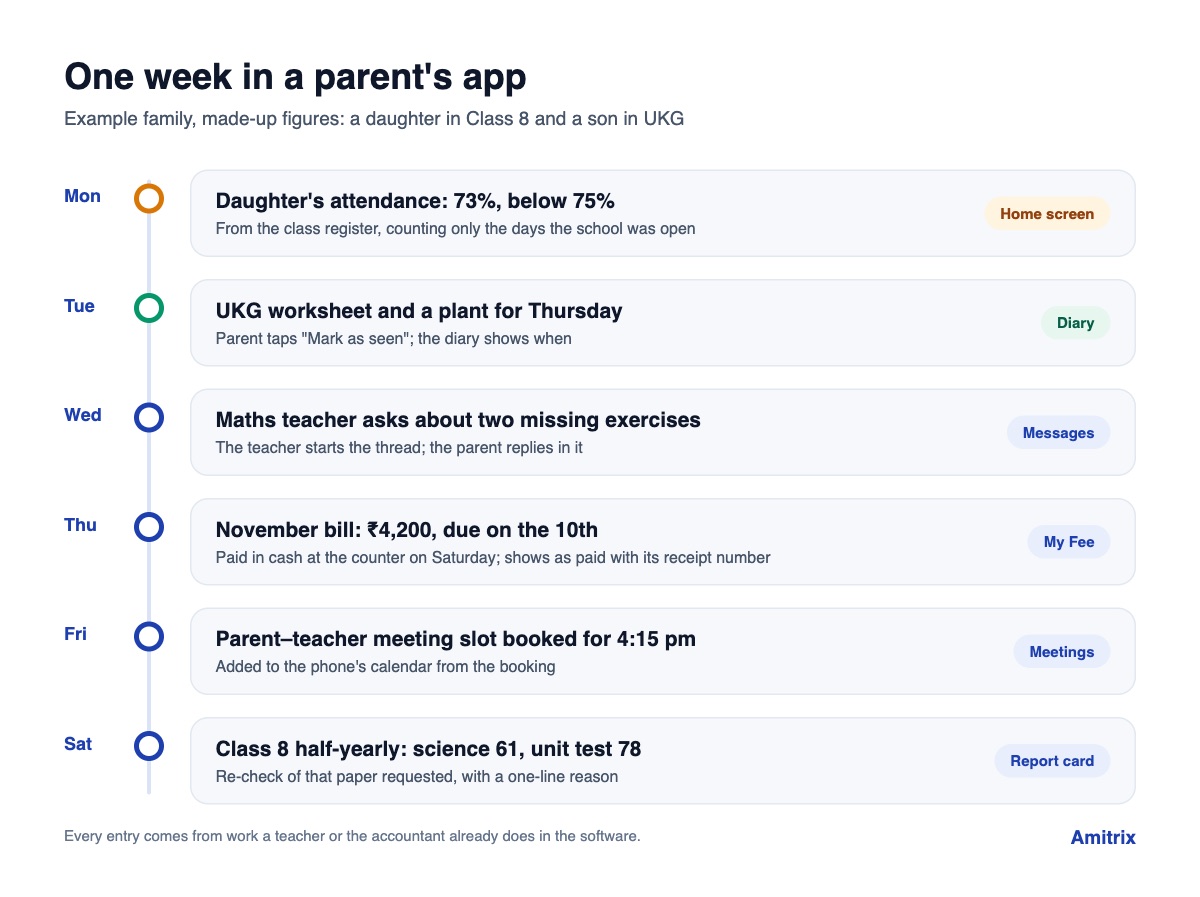
An example, with made-up figures. A father has two children here, a Class 8 girl and a boy in UKG, and he's the one who checks the app most evenings. Over one ordinary week in November, it would show him the following.
Monday. The daughter's card on the home screen says her attendance is 73%, with a note that it's below 75%. Nobody had to send that warning. It's worked out from the class teacher's register, using only the days the school was actually open. For a Class 10 child the same number would be urgent, because of CBSE's 75% attendance rule for board exams.
Tuesday. The UKG diary has a colouring worksheet and a note to send a small plant in a pot on Thursday. He reads both and taps "Mark as seen", and the diary records that he saw it, and at what time.
Wednesday. The daughter's maths teacher starts a conversation about two missing exercises from last week's homework. He answers inside that thread, so the exchange stays attached to that piece of homework and doesn't scroll away in a group chat.
Thursday. The November bill shows ₹4,200 for the son, due on the 10th. Nobody pays in the app. His wife pays cash at the counter on Saturday morning, and by the time she's home the bill shows as paid, with the receipt number and the payment mode.
Friday. The Class 8 teacher has published her slots for next week's parent–teacher meeting. He takes 4:15 pm and adds it to his phone's calendar.
Saturday. Half-yearly results are published for Class 8. He opens the report card, sees 61 in science against 78 in the unit test, and asks for a re-check of that paper with a one-line reason. Before the card reached him, someone other than the science teacher had already checked those marks, which is one of the checks to run on report card software.
Not one of those moments needed a phone call. Every one of them depended on a teacher or the accountant doing their normal job in the software.
Test It With Two Phones, Not One
Vendors demo the parent app on a phone with sample data that looks finished. Ask to do these things yourself, with the vendor's staff login on one phone and a parent login on another:
- Mark a child absent as the teacher, then refresh the parent's phone. The change should be there at once, without anyone syncing anything.
- Record a cash payment at the counter and check the parent's fee screen straight after. If the payment only shows the next day, you'll get phone calls about it.
- Log in as a parent with two children. Switch between them, then try to open a third child's page. The app must refuse.
- Ask how alerts reach the parent: inside the app, as a phone notification, by SMS or on WhatsApp. Each one works differently, and SMS and WhatsApp messages usually cost extra per message.
- Ask what a parent with an iPhone uses, and what a parent without a smartphone gets.
- Ask who can start a conversation. If parents can message any teacher at any hour, ask how teachers switch that off.
The last two answers tell you more than the screens do. A school where many parents share one family phone, or don't use apps at all, still needs printed due slips and the notice board, whatever the vendor says. The post on raising admissions in Delhi makes a related point: parents judge a school by how quickly it replies, and an app only helps if someone at school is answering.
We'll mark one class's attendance and record one fee payment while you watch the parent's screen change.
Try the parent login next to the teacher's →What Amitrix Parents See, and What They Can't Do Yet
Parents use the Amitrix Android app, or the parent portal on the website, which parents with an iPhone can open in a browser. The app opens on the child's card (photo, class and roll number, attendance, fees due and today's diary) with a switch for each child linked to that parent. If attendance falls below 75%, homework is overdue or a fee payment is overdue, the home screen lists it under the child's name. The other tabs are the diary, the child's bills, messages and the parent's own profile. Report cards, the timetable and meeting booking are in the menu.
Nothing on these screens is typed in twice; the app reads it from Amitrix school ERP software, where the staff do their own work. Bills come from the fee plans the accountant sets up, which is why the fee side of the system matters to parents as much as to the office. Report cards appear only after the school publishes them. Parents can request a re-check of a paper with a reason, mark the report card as reviewed, book a meeting slot, rate the meeting afterwards, and raise a concern with the school, anonymously if they want.
Some things it doesn't do yet, and you should know them before a demo:
- Parents can't pay fees online in the app. They pay at the school, and the payment then shows with its receipt number.
- The app doesn't send phone notifications, SMS or WhatsApp messages. Parents see updates when they open it, which is why the home screen lists anything that needs attention first.
- Parents can't start a conversation with a teacher. Teachers start them, and parents reply.
If online payment or alerts on the lock screen are a must for your parents, test other apps on exactly that.
The parent app isn't priced separately. It comes with the school's one yearly plan of ₹12,000, the same however many families log in, and the full list of what's included is on one page.
Bring one class list and we'll show what a parent would see on Monday and Saturday.
See a parent's week on your own classes →Frequently Asked Questions
Can parents pay school fees through a parent app?
Many apps offer it through a payment gateway, and card payments usually carry a gateway fee that someone has to pay. Before you switch it on, ask how a payment that fails halfway is reversed, and how the accountant matches online payments with the bank statement at month end.
Is a parent app better than a class WhatsApp group?
They do different jobs. A WhatsApp group shares every parent's phone number with every other parent and keeps no record against each child. An app keeps attendance, fees and homework per child, but it needs the school's staff to keep entering them. Many schools keep a group for urgent notices and use the app for everything that belongs to one child.
What about parents who don't use a smartphone?
Keep the paper route open. Amitrix can print a sheet of due slips for every child in a class to go home in school bags, and a class teacher can still ring the few families who never log in. A fee reminder message in English or Hindi works for parents on basic phones too.
Does a parent app replace the report card at the PTM?
It doesn't, and it shouldn't. Parents can read the report card before the meeting, so the meeting can be about what to do next. Schools moving to the Holistic Progress Card will find that the conversation still has to happen in person.
Let Two Parents Try It Before You Sign
Pick two parents you trust to be honest, one who uses apps every day and one who doesn't. Give each a parent login during the demo and ask them to find three things: their child's attendance this month, the next fee due, and yesterday's homework. Time them. If either takes more than a minute, that's what most of your families will feel.
Then check the app is part of the whole system the office will run on. Choosing a school ERP as a whole walks through what to test in fees, exams and staff records, and the full module list shows where the parent app sits among them. When you're ready, ask us for a demo with parent logins and bring those two parents along.