
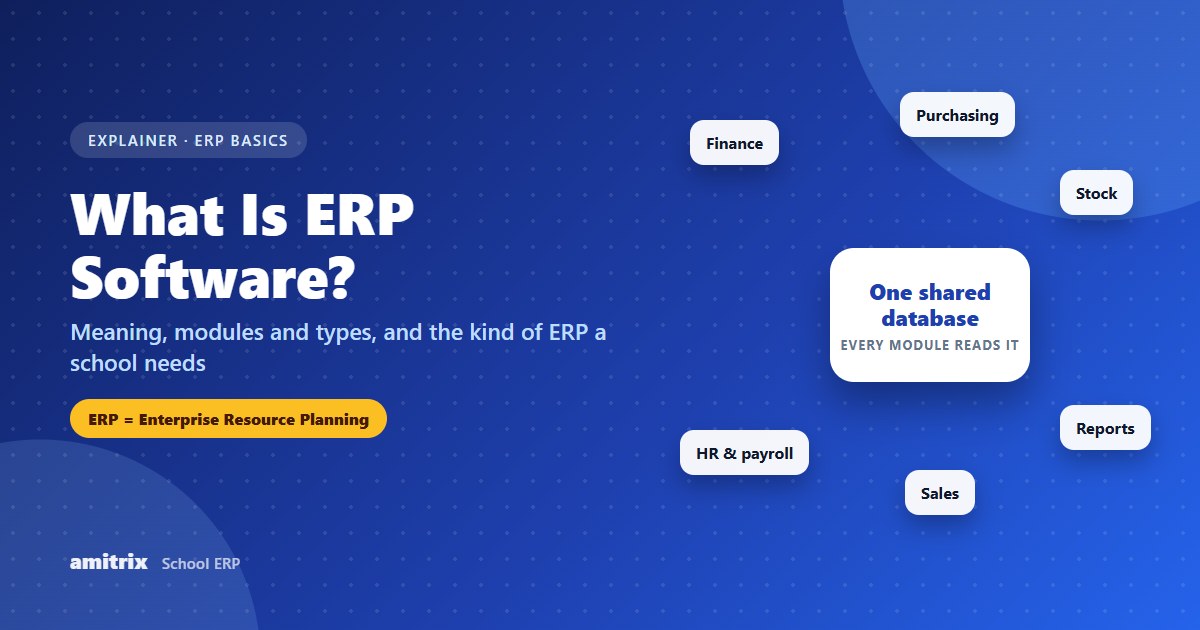
ERP software is one system that runs an organisation's main work, such as finance, purchasing, stock, staff and sales, from a single shared database, so every department sees the same up-to-date records. ERP stands for Enterprise Resource Planning. Businesses buy general ERP products, while schools use an education ERP built around students, fees, exams and parents.
There's a quick way to tell whether an office already runs on one. If the stock figure in the warehouse and the stock figure in the accounts can disagree, it doesn't.
One Database Instead of Many Spreadsheets
Without an ERP, finance, stores, HR and sales each keep their own spreadsheet, and someone matches them up at the end of the month. Each copy drifts a little between those checks, so the month-end figures are only as good as the matching. With an ERP, they all work in the same system, so a change made in one place is immediately correct everywhere else. A sale entered at the counter lowers the stock, adds to what the customer owes and shows up in the sales report at the same moment.
In a school, the shared record is the child's.
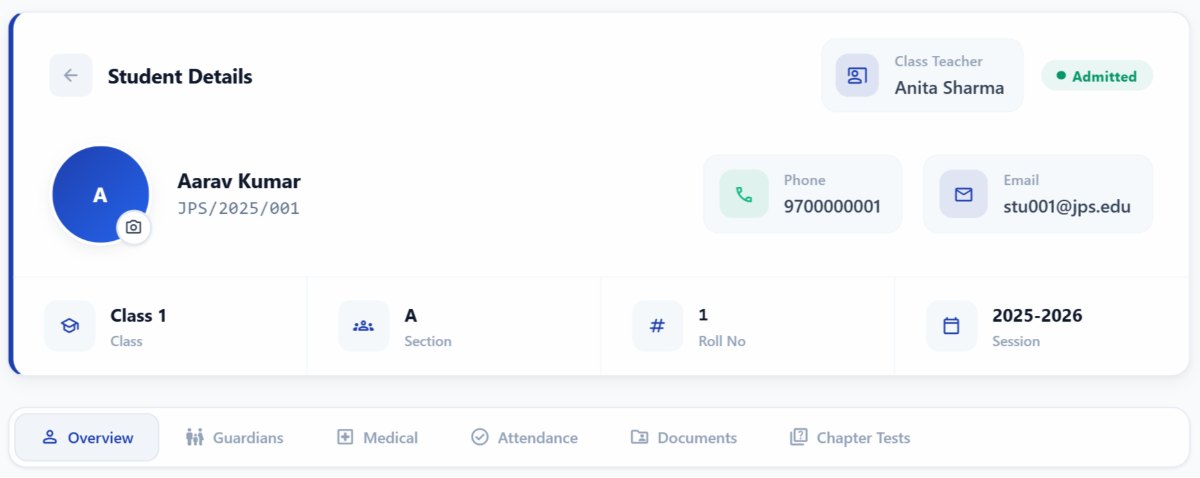
One student's record in Amitrix, with demo data. The class teacher comes from the staff records, the class and section from the school's class set-up, and the attendance and medical tabs are filled in by different people, yet the office opens all of it in one place.
What an ERP System Includes: The Core Modules
An ERP is sold as a set of modules that share one database. The usual set looks like this:
- Finance and accounting, for ledgers, payables, receivables, tax and financial reports
- Purchasing, for suppliers, purchase orders and approvals
- Inventory, for stock levels, transfers between locations and reorder points
- Human resources and payroll, for staff records, attendance, leave and salaries
- Sales and orders, for quotations, orders, invoices and dispatch
- Manufacturing, for production plans and bills of materials, in companies that make things
- Reports and dashboards, which give every manager the same numbers from the same source
An organisation rarely switches on every module. A trading company may never use manufacturing, and a school never will.
Types of ERP Software
The first split is by where the system runs.
- Cloud ERP is hosted by the vendor and used through a browser or app, usually for a yearly or monthly fee.
- On-premise ERP is installed on your own servers, and your own staff are responsible for updates, security and backups.
- Hybrid ERP keeps some parts in the cloud and some on your own servers.
Schools choosing between the first two will find safety and five-year cost compared in cloud school ERP vs installed software.
The second split is by who it is built for. A general ERP is designed for businesses of many kinds and adapted to each one. An industry ERP is built for one sector, such as hospitals, construction or education, with that sector's records and rules already in place.
Examples of ERP software
Well-known general ERP products include SAP S/4HANA, Oracle NetSuite, Microsoft Dynamics 365 and Odoo, which is open source. They are built mainly for companies, so their starting point is the sale, the invoice and the stock item.
Education ERPs start from the student. Amitrix EMS is one, built for Indian schools, and its modules run from admissions and attendance to fees, exams and parent messages.
ERP vs CRM vs Accounting Software
The three get confused because they overlap.
| Type | What it does |
|---|---|
| ERP | Runs the whole organisation (finance, stock, staff and orders) for every department. In a school, the school ERP itself |
| CRM (customer relationship management) | Tracks customers, enquiries and follow-ups for the sales and support teams. In a school, admission enquiry tracking |
| Accounting software | Keeps the books (ledgers, vouchers and tax) for the accounts team. In a school, the fee and expense books |
Many ERPs include a CRM and an accounting module. A standalone CRM or accounting package does not include the rest of an ERP.
ERP software, ERP solution and ERP package
Vendors use these three phrases loosely, and in practice they mean nearly the same thing.
- ERP software is the product itself.
- ERP package usually means the set of modules you buy together, sometimes with training and support.
- ERP solution usually means the software plus the work of setting it up for you, such as data migration, configuration and staff training.
So when you compare quotes, ask what each one includes. A low price for "the software" can grow once setup and training are added, and school quotes are no different, as school ERP pricing in India explains.
ERP in India: What Buyers Look For
Indian buyers usually need five things that an imported product's defaults may not cover:
- Goods and Services Tax (GST) on invoices and in tax reports
- Indian payroll deductions such as provident fund (PF), Employee State Insurance (ESI) and tax deducted at source (TDS)
- Rupee pricing, often yearly, with support in Indian working hours
- Use on mobile phones, since many staff work from a phone rather than a desk
- Hindi and regional languages for documents that go to customers, patients or parents
Whichever sector you're in, ask the vendor to show each of these working, not just listed in a brochure.
ERP for Education: Why Schools Use a Different Kind
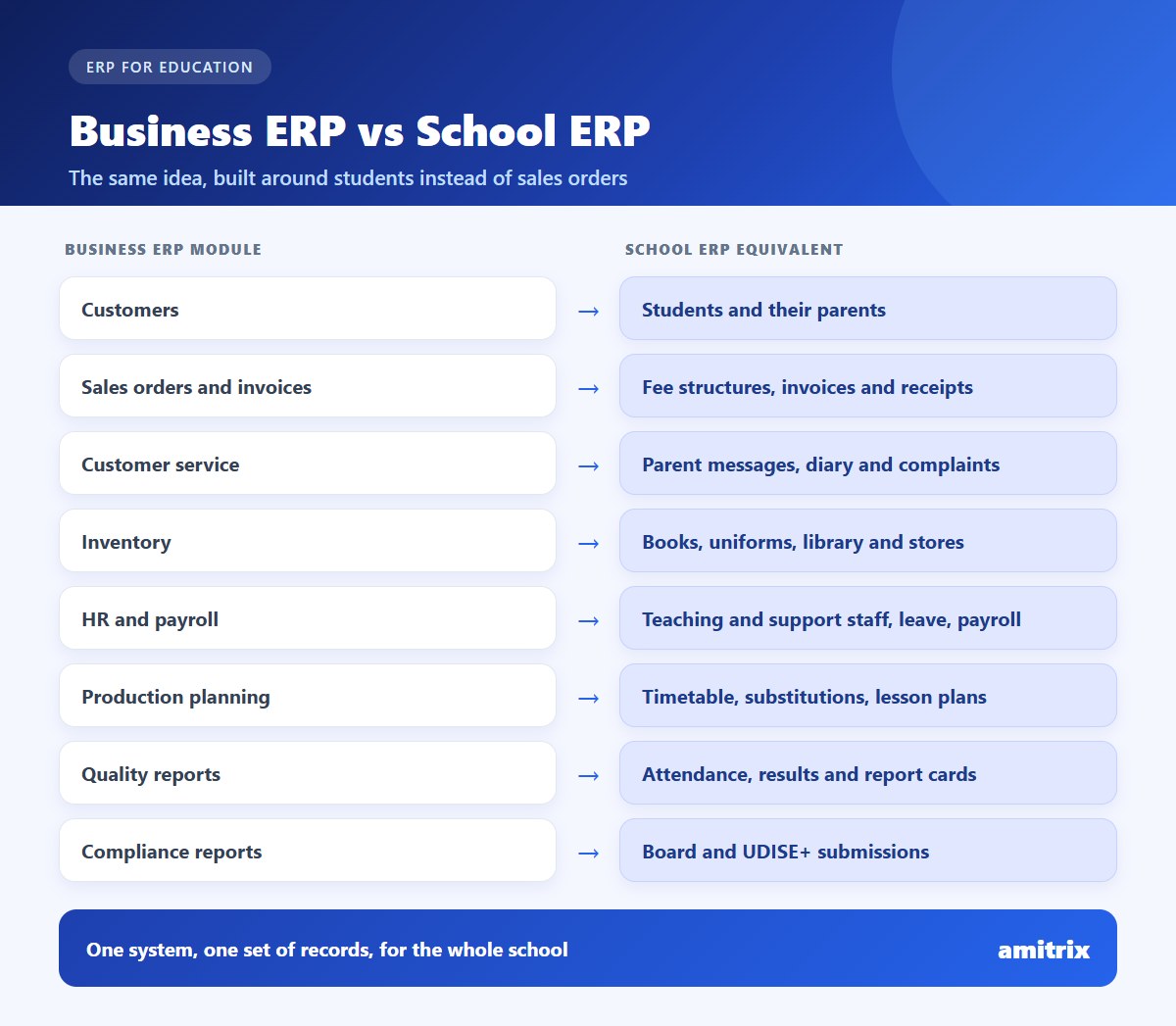
A school has no sales orders or warehouses, yet it has every problem an ERP solves. Its records sit in many places, there's money to account for and staff to pay, and a lot of people need the same information. What changes is what those records are about, as this mapping of business modules to their school equivalents shows.
| Business ERP | School ERP |
|---|---|
| Customers | Students and their parents |
| Sales orders and invoices | Fee structures, invoices and receipts |
| Customer service | Parent messages, diary and complaints |
| Inventory | Books, uniforms, library and stores |
| Human resources and payroll | Teaching and support staff, leave and payroll |
| Production planning | Timetable, substitutions and lesson plans |
| Quality reports | Attendance, exam results and report cards |
| Compliance reports | Board submissions and government portals such as the Unified District Information System for Education Plus (UDISE+) |
Two rows of that table, fees and parents, each have their own buyer's test: what school fee management software should do before an accountant trusts it, and which questions a parent app should answer without a phone call to the office.
A general ERP can be bent to fit, but someone has to build class sections, report cards for your board and a parent login, then keep them up to date every time a rule changes. An education ERP has them from the start. It also has to protect children's data, because in India the Digital Personal Data Protection Act applies to the student records a school ERP holds.
If you're choosing one for a school, our guide to ERP for schools lists 15 features to check and the questions to put to each vendor. Amitrix's safeguards for student records are described separately.
Frequently Asked Questions
What is the full form of ERP?
It stands for Enterprise Resource Planning. The name describes planning how an organisation uses its resources (money, people, stock and time) from one shared set of records.
Are ERP and SAP the same?
ERP is a type of software, while SAP is a company that makes ERP software among other products. Its best-known ERP is SAP S/4HANA.
What are the 5 components of an ERP system?
The textbook answer is hardware, software, the database, the business processes it supports, and the people who use it. A system fails if any one of the five is neglected, most often the people.
Do schools need ERP software?
A school with a few hundred students already keeps attendance, fees, marks and staff records in several places, so an education ERP saves office time and gives parents and the principal the same up-to-date picture. A small tuition centre, or a school where one person keeps every register, may not need one yet.
Where a School Should Start
Before you speak to any vendor, list every register and spreadsheet your office keeps, and mark the ones that hold the same student, fee or staff figure as another. Those duplicates are what an education ERP removes first, and the list makes a better brief for a vendor than any feature sheet.
If the school already runs an ERP that isn't working, the same list tells you what the new one has to take over. Start with the export, though: switching school ERP software is far harder when nobody has checked the old system's data before giving notice.
If you run a school, you can look inside a school ERP with a couple of your real classes set up in it.