
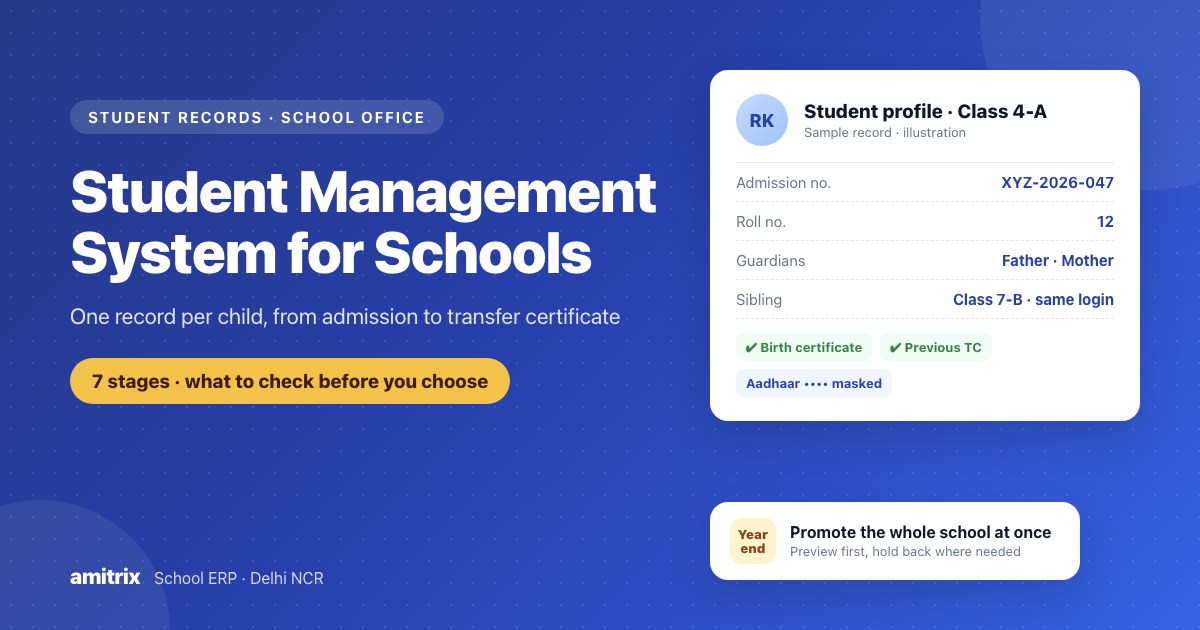
Suppose a Class 9 student's date of birth reads one way in the admission register and another on her board registration form, and nobody in the office can say which entry is right. A student management system exists to prevent exactly that. It keeps one record for every child, from admission to the transfer certificate (TC), and the office, class teachers, accountant and parents all read the same facts from it.
Judge one by how it copes with your busiest weeks (admissions, year-end promotion and data entry for the Unified District Information System for Education Plus, or UDISE+) rather than by the length of its feature list.
What Is a Student Management System?
A student management system is the software that holds each child's personal details, guardians, class, documents and history in one profile, and lets each member of staff see and change only the parts their job needs. Some vendors call it a student information system (SIS) or a student records system.
You'll rarely buy it on its own. It's the core module of a school ERP (enterprise resource planning) system, the one that fees, attendance, exams and the parent app all read from, so a wrong date of birth in the student record turns up wrong in every report built on it.
Student Management System vs SIS vs LMS vs School ERP
The four names overlap and vendors use them loosely. The learning management system (LMS) is the odd one out, since it's about teaching rather than records.
| Name | What it covers |
|---|---|
| Student management system | Admissions, profiles, classes, promotion and leaving; used by the office and class teachers |
| SIS | Often the same software under another name, sold to the office and principal as the school's official register |
| LMS | Online lessons, homework and quizzes for teachers and students, not the student register |
| School ERP | Student records plus fees, attendance, exams, staff, payroll and parent messages, for the whole school |
An LMS has no place for admission numbers or guardians, so a school that buys one still keeps its register somewhere else. Buy a separate student system and a separate fee tool, and someone ends up typing every child twice. We'd choose a school ERP whose student module feeds fees, attendance and exams, because a correction made once then shows up everywhere.
The Seven Stages of a Student Record
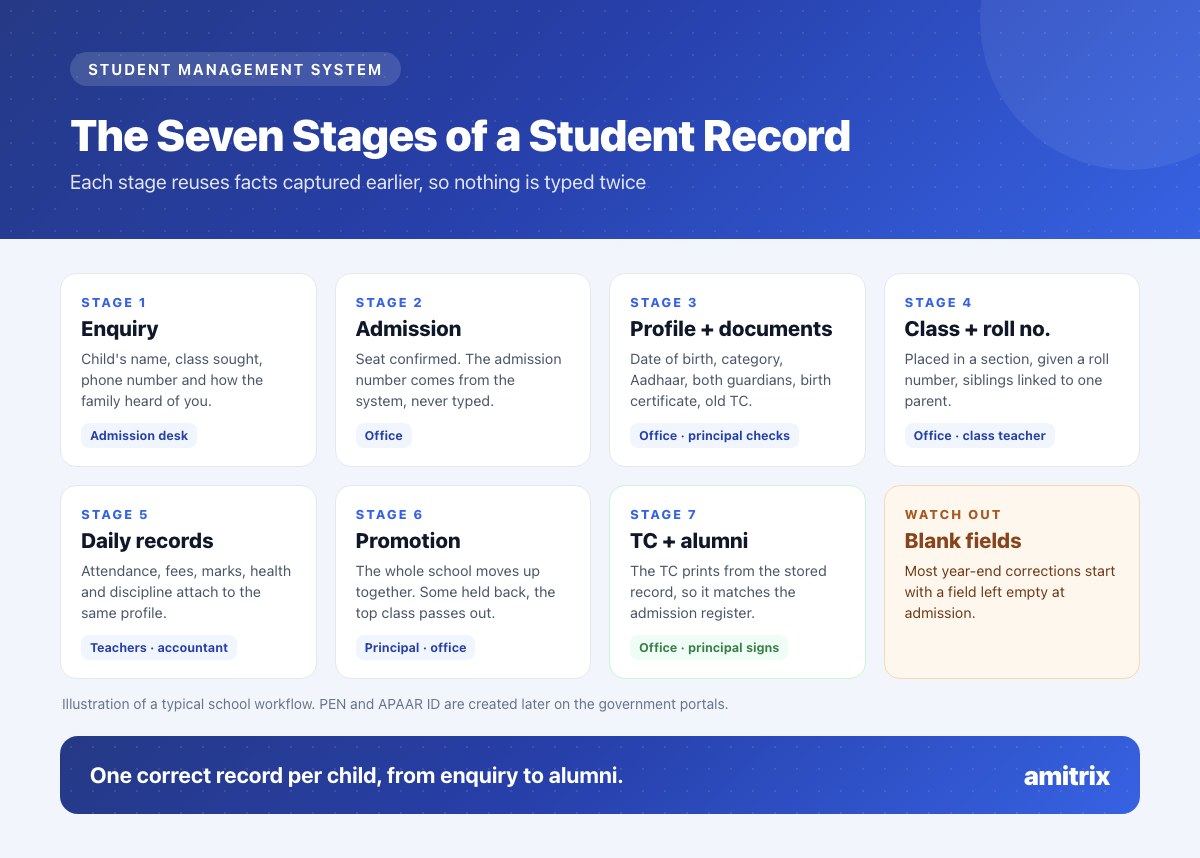
A record grows through the years a child spends with you, and each stage has its own owner.
| Stage | What it covers | Owner |
|---|---|---|
| 1. Enquiry | Child's name, class sought, phone number, how the family heard of you | Admission desk |
| 2. Admission | Seat confirmed and an admission number issued, generated by the system rather than typed, so no two children can share one | Office |
| 3. Profile and documents | Date of birth, gender, category, Aadhaar, address, previous school and both guardians, plus copies of the birth certificate, previous TC and marksheets | Office, checked by the principal |
| 4. Class, section and roll number | The section the child joins and the roll number given | Office or class teacher |
| 5. Daily records | Attendance, fee payments, marks, health check-ups and discipline notes, all on the same profile | Teachers, accountant, school nurse |
| 6. Promotion | At the end of the session the whole school moves up a class in one exercise; some students are held back and the top class passes out | Principal and office |
| 7. Leaving | TC issued, record marked as left, and passed-out students become alumni | Office, signed by the principal |
Stage 3 is the one later documents copy from. A TC that prints the date of birth and admission date straight from that profile cannot contradict the admission register.
What to Record at Admission
Much of the correction work at the end of a session traces back to a field left blank at admission. These are the fields worth insisting on, with where each one is used later.
| Field | Used later for |
|---|---|
| Full name as on the birth certificate | Board registration, TC, UDISE+ |
| Date of birth | Age rules for admission, board forms, TC |
| Mother's and father's names | UDISE+, board forms, Aadhaar matching |
| Category: General, Scheduled Caste (SC), Scheduled Tribe (ST), Other Backward Class (OBC) or Economically Weaker Section (EWS) | Fee concessions, government returns |
| Aadhaar number | UDISE+ checks; store it encrypted |
| Disability status | UDISE+, exam concessions |
| Previous school and its TC | Admission validity, transfer records |
| Guardian phone numbers | Parent app login, fee and absence messages |
Two numbers arrive later, from government systems rather than your own register. The Permanent Education Number (PEN) is generated on the government's UDISE+ portal, through its student module, not in your admission register. The Automated Permanent Academic Account Registry (APAAR) ID is created only with a parent's consent, so it can't simply be filled in at admission; APAAR IDs for school students sets out how to collect and record that consent.
How to Choose a Student Management System
Run these six tests in any vendor's demo, with your own data rather than their sample.
- Import one real section. Upload a section from your Excel sheet and see what happens to rows with a missing date of birth or a duplicate name. A good system takes in the clean rows and hands back the faulty ones with a reason against each, so one bad entry never sends the whole section back to you.
- Add two siblings. Register a second child with the same parent's phone number and check that the family ends up with one login, not two.
- Run a mock promotion. Promote one class, hold one student back, then undo the change. If you only have time for one test, make it this one, because promotion is the task where a mistake touches every record at once.
- Issue a TC. Check that the certificate is numbered, takes its details from the profile and needs the principal's approval, then hold it against the entries a board's TC format asks for to see which lines the office would still fill by hand.
- Switch to a teacher's login, then a parent's. A teacher should see only their own classes, and a parent only their own children.
- Ask where the data is kept and who can see Aadhaar numbers. Under the Digital Personal Data Protection (DPDP) Act, the school stays responsible for children's data even when a vendor stores it, so take the DPDP questions to ask a school software vendor into the meeting.
Leave price until last, then compare every quote on the same footing, with the charges listed in the school ERP pricing breakdown added to any quote that leaves them out.
The Student Module in Amitrix
In Amitrix EMS the student record lives in the Admissions & Student Directory module. Admission numbers are issued automatically, a whole class can be registered from an Excel file with a row-by-row error report, and a parent login is set up from the guardian's phone number when the child is registered, so brothers and sisters share one login. Each child is then placed in a class and section. The school sets its own document checklist. Uploads are approved or rejected with a reason, and documents still missing after their deadline are escalated to staff.
At the end of the session, the new-academic-year screen copies last year's classes and set-up, shows a preview of the promotion before anything moves, can be undone within 24 hours and passes the top class out to alumni. Transfer, bonafide and character certificates are generated from the record and signed by the principal, and health, discipline and transport details are kept against the same student. Aadhaar numbers are encrypted with AES-256 (the Advanced Encryption Standard) and shown masked on screen, and access is set by role, so a teacher, an accountant and a parent each see only their own screens. The student module comes with every other module in one plan for the whole school.
Frequently Asked Questions
Is Excel or Google Sheets enough to manage student records?
For a very small school it can be, as long as one person owns the file and no child appears twice. Keep one row per child and one sheet per session, and never retype a name into a second file. A sheet kept that way is also the easiest thing to import when you do move to software. A school leaving another system starts from that system's export instead, and the plan for moving to new school management software shows how to check it before giving notice.
When should a school move its student records off a register or spreadsheet?
Trouble starts when the accountant, a class teacher and the principal need the same child's details on the same morning, and the copies drift apart. Move when two or more of these describe your office: admission numbers typed by hand, so gaps and repeats creep in; siblings on separate rows, linked only in someone's memory; every class list rewritten at year-end promotion; whoever holds the file seeing every child; details retyped for each transfer certificate; or Aadhaar numbers visible on the page and emailed around. Switch before the next admission season rather than halfway through a session, so new admissions go straight into the new system and last year's list is imported only once.
How is a student management system different from a school ERP?
Think of the student module as one room in a larger house: it holds profiles, classes and certificates, and the ERP builds fees, attendance, exams, payroll and parent messages on those same profiles. When you compare vendors, ask whether the fee and attendance screens read the student profile directly or keep their own copy of names and classes. A copy means every correction has to be made twice.
Who in a school uses the student management system?
The office uses it most, for admissions, documents and certificates. Class teachers work within their own sections, the accountant reads it for fees, the principal approves promotions and certificates, and parents see their child's details in the parent app. Keep the editing of names and dates of birth with the office; everyone else needs to read those fields, not change them.
Take Your Own Class List Into Every Demo
Pick one section and export it from your register or sheet with every field you hold. Leave in at least one pair of siblings and one child with a missing date of birth, then ask each vendor to import that file while you watch and run the promotion and TC tests on those same children.
When you're ready, open a sample student file with us and bring that export along.